
Download RoboTask – Task Automation, FTP Management, Email Integration
Overview
RoboTask is a powerful automation tool designed to streamline repetitive tasks on personal computers, offering users a way to enhance productivity through intelligent scheduling and execution of system-level actions. The application enables users to automate a wide range of operations, from launching programs and managing documents to performing system maintenance and optimizing performance. Whether users are managing files, syncing folders, editing Windows registry entries, or controlling system services, RoboTask provides a centralized platform for these activities.
Its functionality extends to network-based tasks, particularly through robust support for FTP server interactions, allowing users to automate file uploads, downloads, and directory management without manual intervention. Email automation is another core strength, enabling users to send and receive messages based on predefined triggers, which is especially useful for business workflows or recurring communications. The target audience includes both technical users seeking granular control over system operations and non-technical individuals looking to simplify routine digital tasks.
Although the developer did not provide additional background information, RoboTask’s comprehensive feature set suggests a focus on efficiency and reliability. Real-world use cases include automated backups, scheduled system cleanups, batch processing of documents, and integration with remote servers. In the broader software ecosystem, RoboTask fills a niche for users who need advanced automation capabilities beyond standard task schedulers, offering a flexible and scalable solution for managing complex workflows on Windows platforms.
Key Features & Functionality
- Task Automation Engine: RoboTask supports the creation of custom automation scripts for nearly any PC activity, including launching applications, printing documents, and managing system services. This allows users to eliminate repetitive manual steps and improve workflow consistency.
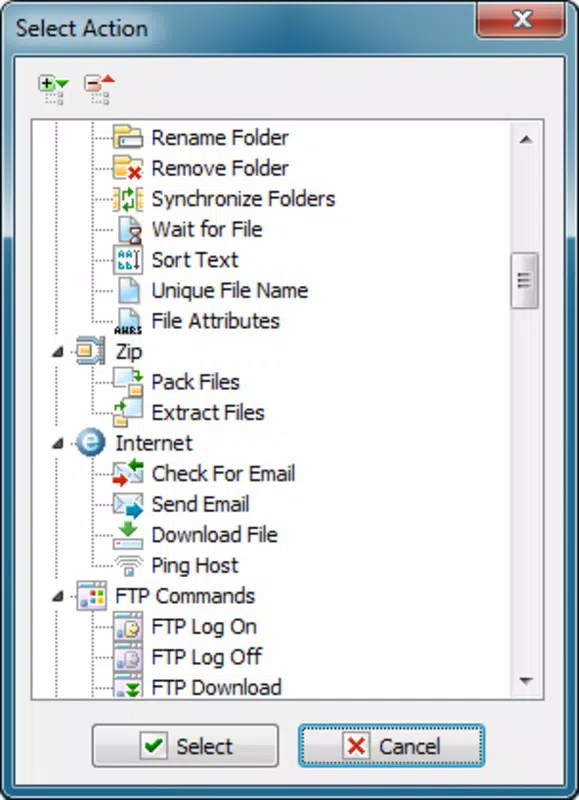
- FTP Server Integration: Users can automate file transfers to and from remote FTP servers, including directory synchronization and file monitoring, reducing the need for manual uploads or downloads.
- Email Handling Automation: The tool enables users to set up automated email workflows, such as sending reports or receiving notifications, triggered by specific events or time intervals.
- System Maintenance Tools: Built-in capabilities for registry editing, process management, and disk optimization help maintain system health with minimal user input.
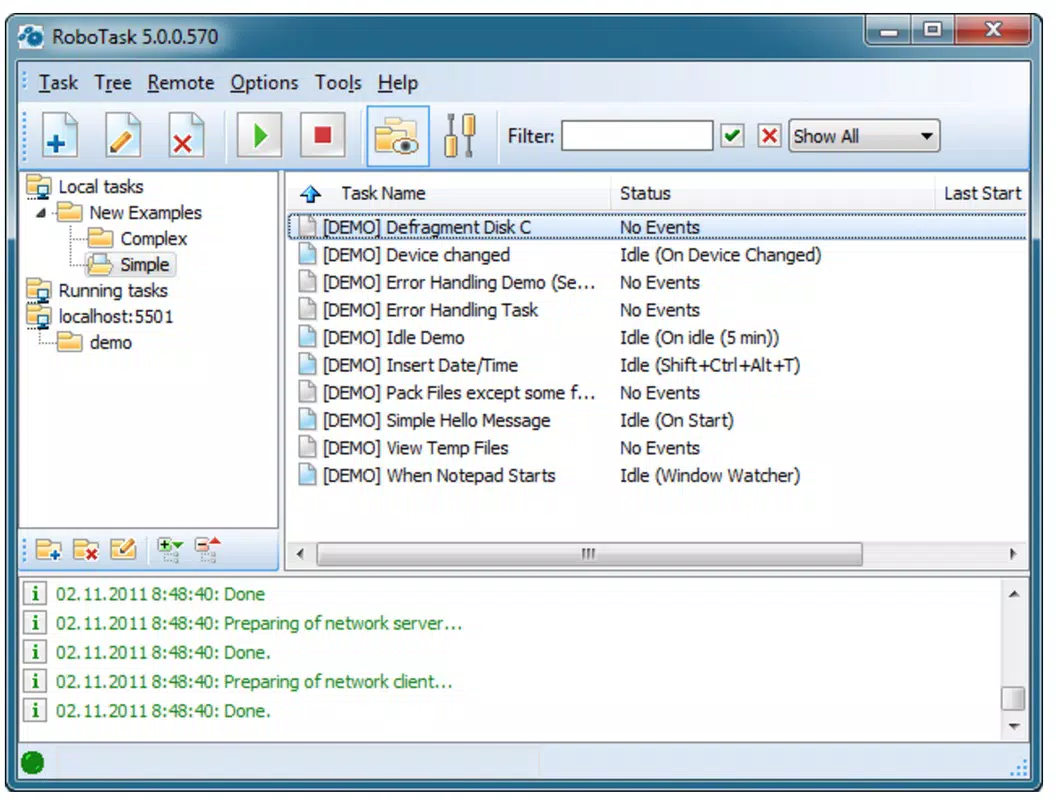
- Task Organization Interface: A categorized task list provides an intuitive way to manage, view, and modify existing automation routines, improving accessibility and control.
For example, a user could configure RoboTask to automatically back up critical documents every night, upload them to a secure FTP server, and send a confirmation email upon completion. Another scenario involves monitoring a folder for new files, processing them (e.g., converting formats), and uploading the results—all without user involvement. These use cases demonstrate how RoboTask enhances efficiency across personal, academic, and professional environments.
Interface, UX & Performance
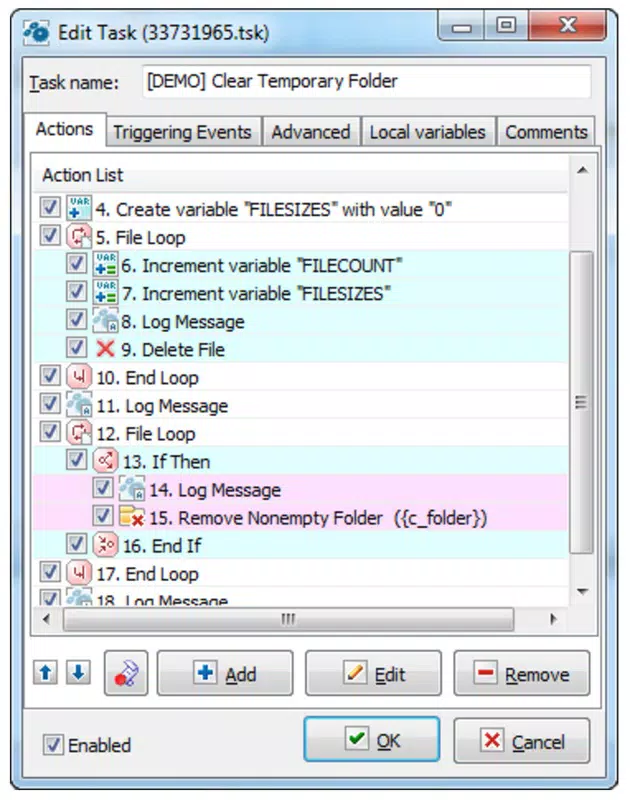
RoboTask features a clean, organized interface that groups tasks into logical categories, making it easy to locate and manage automation workflows. The layout emphasizes functionality and clarity, with a central panel displaying task lists and a configuration area for setting up actions. Navigation is straightforward, allowing users to create, edit, or delete tasks with minimal clicks.
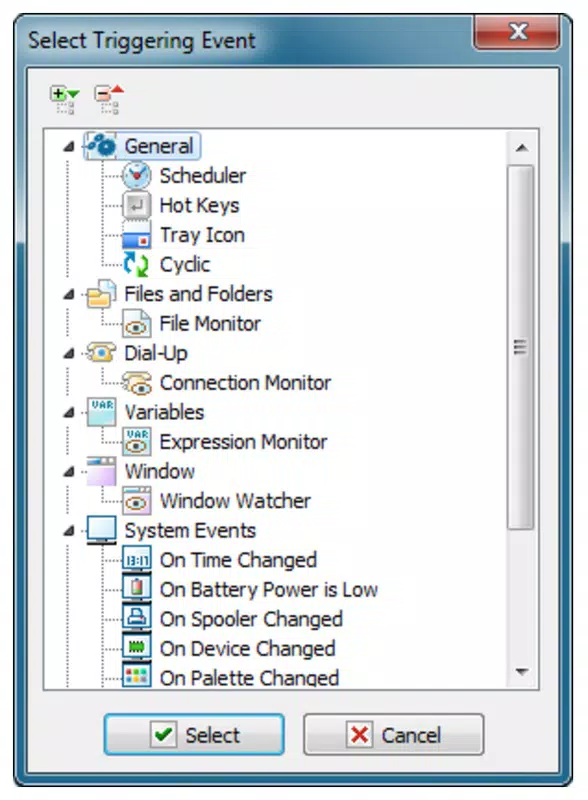
The user experience is designed to be accessible even for those with limited technical expertise. Although the initial setup may appear complex due to the breadth of available options, the step-by-step form-based approach simplifies the process of defining automation actions. Each task type comes with a dedicated configuration form, guiding users through necessary inputs.
Although the developer did not list formal performance metrics, the application appears optimized for stability during long-running tasks. It maintains responsiveness even when managing multiple automation routines simultaneously. Users on mid-range and high-end systems should expect consistent performance, though specific requirements were not disclosed. The application runs efficiently in the background without significant impact on system resources, ensuring reliable execution of scheduled tasks.
Platform Compatibility & Technical Requirements
RoboTask is designed for Windows operating systems. The application supports the latest versions of Windows, although specific OS requirements were not listed by the developer. The file size of the application is approximately 15.2 MB, which is compact for a tool with such extensive functionality.
Compatibility information was not fully disclosed, and the developer did not specify minimum system requirements or hardware recommendations. Users should ensure their system meets standard Windows application requirements to run RoboTask effectively. The software is distributed as a downloadable installer, and no mobile or cross-platform versions are currently available.
Pros and Cons
Pros
- Extensive automation capabilities across system, network, and application tasks
- Supports FTP server integration for seamless file transfers
- Automated email workflows improve communication efficiency
- Intuitive interface with categorized task management
- Compact file size with efficient resource usage
Cons
- Developer did not provide detailed system or OS compatibility information
- No mobile or cross-platform availability
- Initial learning curve due to wide range of options
- Specific technical requirements were not listed
- Only available for Windows platforms
FAQ
Is RoboTask safe to use on my PC?
Yes, RoboTask is designed to operate securely within the Windows environment. It does not include malicious components, and its automation functions are executed with user-defined permissions. However, users should exercise caution when automating sensitive tasks like registry edits or file deletions.
Can I automate tasks on remote servers?
Yes, RoboTask supports automation involving remote FTP servers, allowing users to upload, download, and manage files without manual intervention. This is ideal for remote backups and file synchronization.
Does RoboTask support mobile devices?
No, RoboTask is currently available only for Windows desktop systems. There are no mobile versions for Android or iOS.
How often can I run automated tasks?
Tasks can be scheduled to run at specific times, intervals, or based on system events. The frequency depends on user configuration and system availability.
Is there a free version of RoboTask?
The provided information does not specify pricing details. Users should refer to the official source for current pricing and licensing options.
Final Thoughts
RoboTask stands out as a versatile and efficient automation tool tailored for users who want to reduce manual effort across their computing workflows. Its ability to manage system tasks, FTP operations, and email communications makes it a valuable asset for both individual users and small teams. While the lack of detailed technical specifications may require users to test compatibility on their systems, the application’s clean interface and powerful features justify its use.
Those who frequently perform repetitive actions—such as backing up files, syncing data, or managing remote servers—will benefit most from RoboTask’s capabilities. It delivers strong value by transforming complex, time-consuming processes into automated, reliable routines.
Download RoboTask now


